Data Driven Cooking
TestNG @DataProvider Illustration Overview
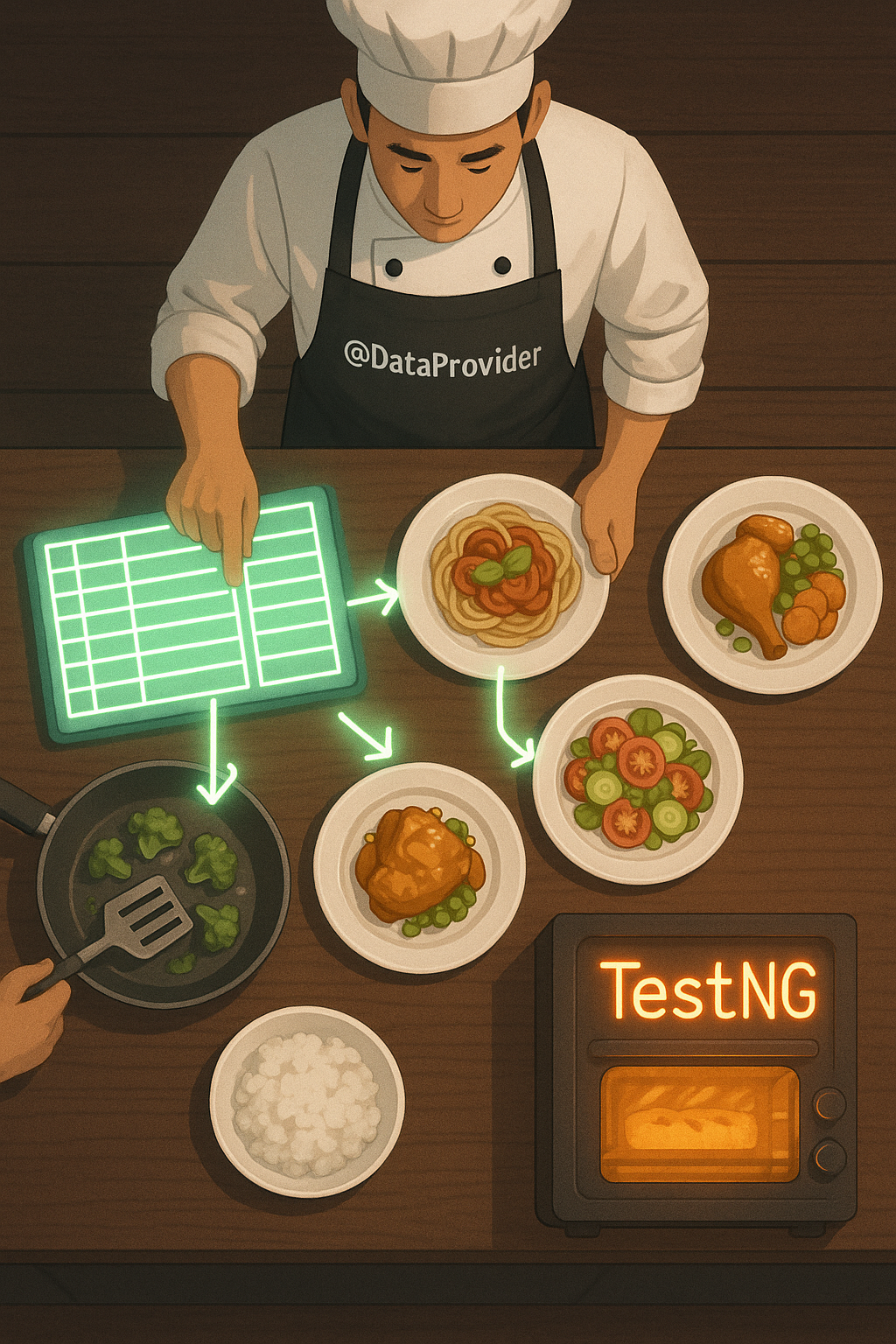
This TestNG @DataProvider illustration creatively demonstrates how the @DataProvider feature in TestNG delivers data-driven test execution. The image shows a chef (wearing an apron labeled @DataProvider) using a data table to serve different plates of food—each representing a unique test case. Moreover, each dish receives ingredients from a shared source, just as @DataProvider supplies varying input values to test methods. In addition, arrows from the data sheet to the dishes symbolize how one method can receive multiple data sets during a single run.
Furthermore, the TestNG oven reinforces the concept of automated testing under a controlled framework. Because this concept can be abstract for beginners, the cooking metaphor makes it visual, friendly, and easy to grasp. Therefore, this illustration is perfect for teaching parameterized testing and enhancing comprehension in TestNG tutorials, documentation, or training slides.
Key Features of TestNG @DataProvider Illustration
- Chef as @DataProvider: Symbolizes the provider feeding multiple test inputs.
- Food Plates as Test Cases: Each plate represents a unique combination of test inputs.
- TestNG Oven: Highlights the testing framework executing the parameterized tests.
What’s Included in the Visual Example
- Central data table representing structured test data (arrays or objects).
- Multiple dishes (test cases) linked to the shared input source.
- Cooking metaphor to show preparation and execution of tests.
How to Use @DataProvider in TestNG
- Define a method with
@DataProviderthat returns test input combinations. - Annotate the test method with
@Test(dataProvider = "yourMethod")to link them.
Ideal Uses and Placement
- Use the TestNG @DataProvider illustration in test automation workshops or online courses.
- Perfect for training slides, tech blogs, or conference presentations.
- Include in QA documentation to visually explain data-driven testing.
- Inspire understanding for teams new to TestNG and test parametrization.
Explore More Resources
- Learn test automation: Products Page
- Read more about QA: Our Blog
- Find code examples: AI & QA Resources
- Read TestNG docs: TestNG – Data Providers
Why Use @DataProvider in TestNG?
The @DataProvider feature in TestNG helps run the same test multiple times with different inputs. It saves time and enhances coverage. Moreover, it separates test logic from test data, making your code cleaner and more maintainable.
Start Using @DataProvider in TestNG Today!
Power your automated tests with clean, scalable data-driven logic—start using @DataProvider in TestNG today!
$3.99
- ✅ Instant Download Available
- 🖼️ Ultra High-Resolution 4K PNG + JPG (4096×6144, 300 DPI)
- 🖨️ Prints Beautifully up to 13.6×20.5 inches
- ♾️ Unlimited Downloads
- 🔁 Commercial Use & Resale Allowed
- 💾 Digital Product – No Physical Item Shipped
- 📥 Instant Access via Download Link Post-Purchase
- 🛒 Want a Physical Print?
You can upload your downloaded artwork to services like Printful, Zazzle, or your local print shop to create stunning physical prints.
All 4K images include the label "4K" in their title.
If your selected image does not include "4K", please contact us for your complimentary upgrade.