Glowing Feature Scroll
Gherkin Feature File Illustration Overview
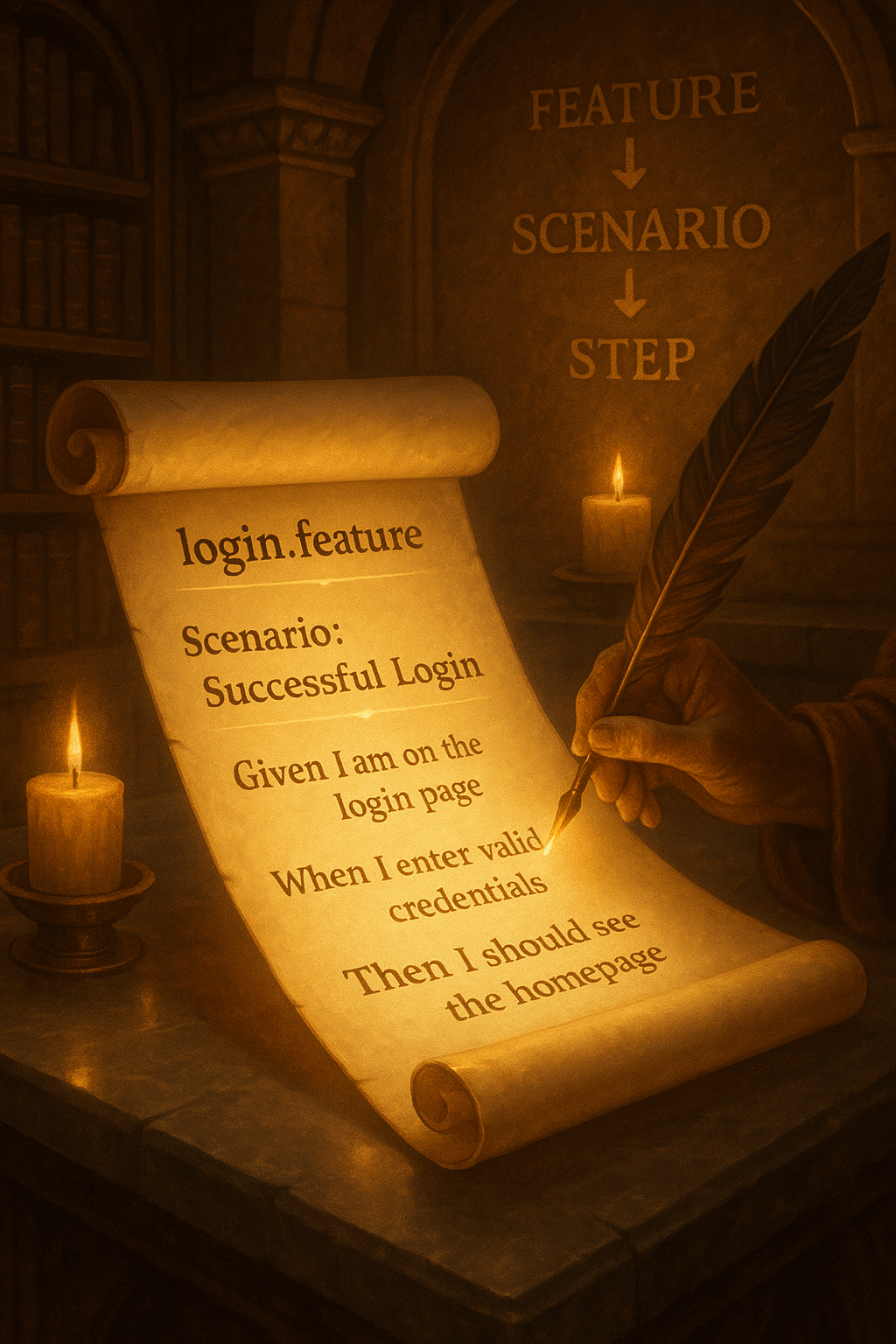
This Gherkin feature file illustration artistically visualizes how Behavior-Driven Development (BDD) scenarios are written using the Gherkin syntax. Displayed as a glowing scroll, the login.feature file highlights a classic scenario: “Successful Login.” Each step begins with a Gherkin keyword—Given, When, and Then—making the test both human-readable and machine-executable. Moreover, the feather quill and candle-lit scene emphasize clarity and storytelling, key principles of BDD. In addition, the scene captures the idea that feature files are living documents, readable by both technical and non-technical stakeholders.
Furthermore, the step-by-step format encourages collaboration between developers, testers, and business analysts. Because it uses natural language, Gherkin makes test cases easier to understand and maintain. Therefore, this illustration serves as both a technical reference and a creative teaching tool for BDD practices using frameworks like Cucumber.
Key Features of Gherkin Feature File Illustration
- Scroll Format: Represents the formal and structured nature of feature files.
- Step-Based Structure: Shows
Given,When, andThento define test behavior clearly. - Login Scenario: Demonstrates a real-world example used in most testing frameworks.
What’s Included in the Visual Example
- Gherkin scenario written as
login.feature. - Steps:
Given I am on the login page,When I enter valid credentials,Then I should see the homepage. - Candle-lit setting, quill, and library-style background for a thematic touch.
How to Write a Gherkin Feature File
- Start with a
Feature:header describing the functionality. - Add
Scenario:followed by a title for the specific test case. - Write your steps using
Given,When,Then(optionallyAnd,But).
Ideal Uses and Placement
- Use the Gherkin feature file in BDD workflows for functional and acceptance testing.
- Include in Cucumber, SpecFlow, or Behave projects for automation.
- Display this illustration in coding classrooms or QA workshops.
- Incorporate into documentation to explain test structure and syntax.
Explore More Resources
- Discover test design tools: Products Page
- Read testing guides: Our Blog
- Explore automation topics: AI & QA Resources
- Learn Gherkin syntax: Cucumber – Gherkin Reference
Why Use Gherkin Feature Files?
Gherkin feature files bridge the gap between technical and non-technical teams. They describe system behavior in plain language. Moreover, they align business goals with test automation. This makes Gherkin ideal for collaborative and agile development environments.
Start Writing Gherkin Scenarios Today!
Bring clarity to your testing—start using Gherkin feature files and build behavior-driven workflows with ease!
$3.99
- ✅ Instant Download Available
- 🖼️ Ultra High-Resolution 4K PNG + JPG (4096×6144, 300 DPI)
- 🖨️ Prints Beautifully up to 13.6×20.5 inches
- ♾️ Unlimited Downloads
- 🔁 Commercial Use & Resale Allowed
- 💾 Digital Product – No Physical Item Shipped
- 📥 Instant Access via Download Link Post-Purchase
- 🛒 Want a Physical Print?
You can upload your downloaded artwork to services like Printful, Zazzle, or your local print shop to create stunning physical prints.
All 4K images include the label "4K" in their title.
If your selected image does not include "4K", please contact us for your complimentary upgrade.