Glue Code Bridge
BDD Scenario Bridge Overview
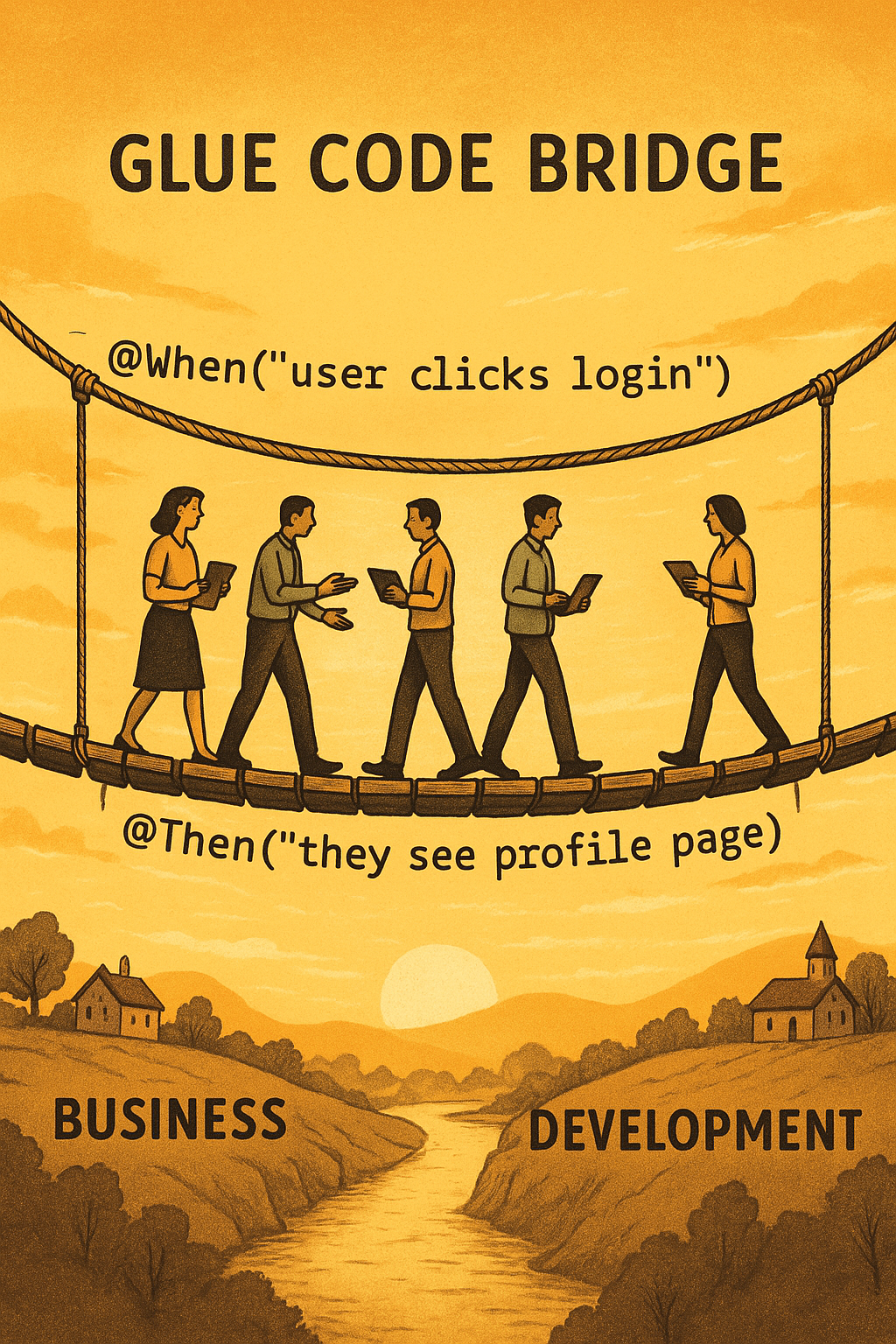
A BDD scenario bridge connects technical automation with real-world business logic through clear, human-readable steps. The image perfectly visualizes this connection by showing professionals walking across a rope bridge labeled with Gherkin-style syntax: @When("user clicks login") and @Then("they see profile page"). These steps illustrate how behavior-driven development simplifies collaboration between developers and stakeholders. Moreover, it encourages teams to speak a common language through feature files. In addition, these readable scenarios clarify user behavior and expected outcomes. Therefore, business needs can be translated into test cases effortlessly. This BDD bridge is not just metaphorical—it enables faster feedback loops and fewer miscommunications. Furthermore, when used with tools like Cucumber or Behave, BDD scenarios create living documentation that supports continuous delivery. Ultimately, the scenario bridge supports better software quality, improved communication, and real user validation.
Key Features of BDD Scenario Bridge
- Readable Test Cases: Uses natural language syntax like
@Whenand@Thento define user actions and expectations. - Cross-Team Clarity: Helps developers, testers, and business teams align on test behavior and acceptance criteria.
- Living Documentation: Automatically generates test documentation that evolves with the codebase and user needs.
What’s Included with BDD Scenario Bridge
- Clear
Gherkin-style test steps for login and profile scenarios. - Visual representation of bridging business and development goals.
- Conceptual mapping between roles, steps, and outcome validation.
How to Use BDD Scenario Bridge
- Write your test scenario in a feature file using
Given-When-Thenstructure. - Define corresponding step definitions in your automation framework (e.g., Cucumber).
- Run automated tests to validate the user journey across business and technical layers.
- Update scenarios as new features evolve, ensuring all teams stay in sync.
Ideal Uses and Placement
- Apply in Agile and DevOps teams practicing behavior-driven development (BDD).
- Display in QA training rooms to teach test structure and business collaboration.
- Use in presentations that explain how automated testing aligns with real-world use cases.
- Incorporate into documentation as a visual aid for BDD workflow.
Explore More Resources
- Find similar products: Products Page
- Gain further insights: Our Blog
- Enhance your understanding: AI & QA Resources
- Learn from experts: Cucumber.io BDD Documentation
Why Choose BDD Scenario Bridge?
The BDD scenario bridge empowers teams to connect business logic and test automation clearly. Moreover, it aligns goals, minimizes confusion, and supports user-centric development. This visual metaphor strengthens agile collaboration and ensures test clarity across all stakeholders.
Implement the BDD Scenario Bridge Today!
Unify your teams and simplify testing—use the BDD scenario bridge to connect business intent with technical accuracy today!
$3.99
- ✅ Instant Download Available
- 🖼️ Ultra High-Resolution 4K PNG + JPG (4096×6144, 300 DPI)
- 🖨️ Prints Beautifully up to 13.6×20.5 inches
- ♾️ Unlimited Downloads
- 🔁 Commercial Use & Resale Allowed
- 💾 Digital Product – No Physical Item Shipped
- 📥 Instant Access via Download Link Post-Purchase
- 🛒 Want a Physical Print?
You can upload your downloaded artwork to services like Printful, Zazzle, or your local print shop to create stunning physical prints.
All 4K images include the label "4K" in their title.
If your selected image does not include "4K", please contact us for your complimentary upgrade.