Sleek Ledger Interface (4k)
Business Finance Dashboard Overview
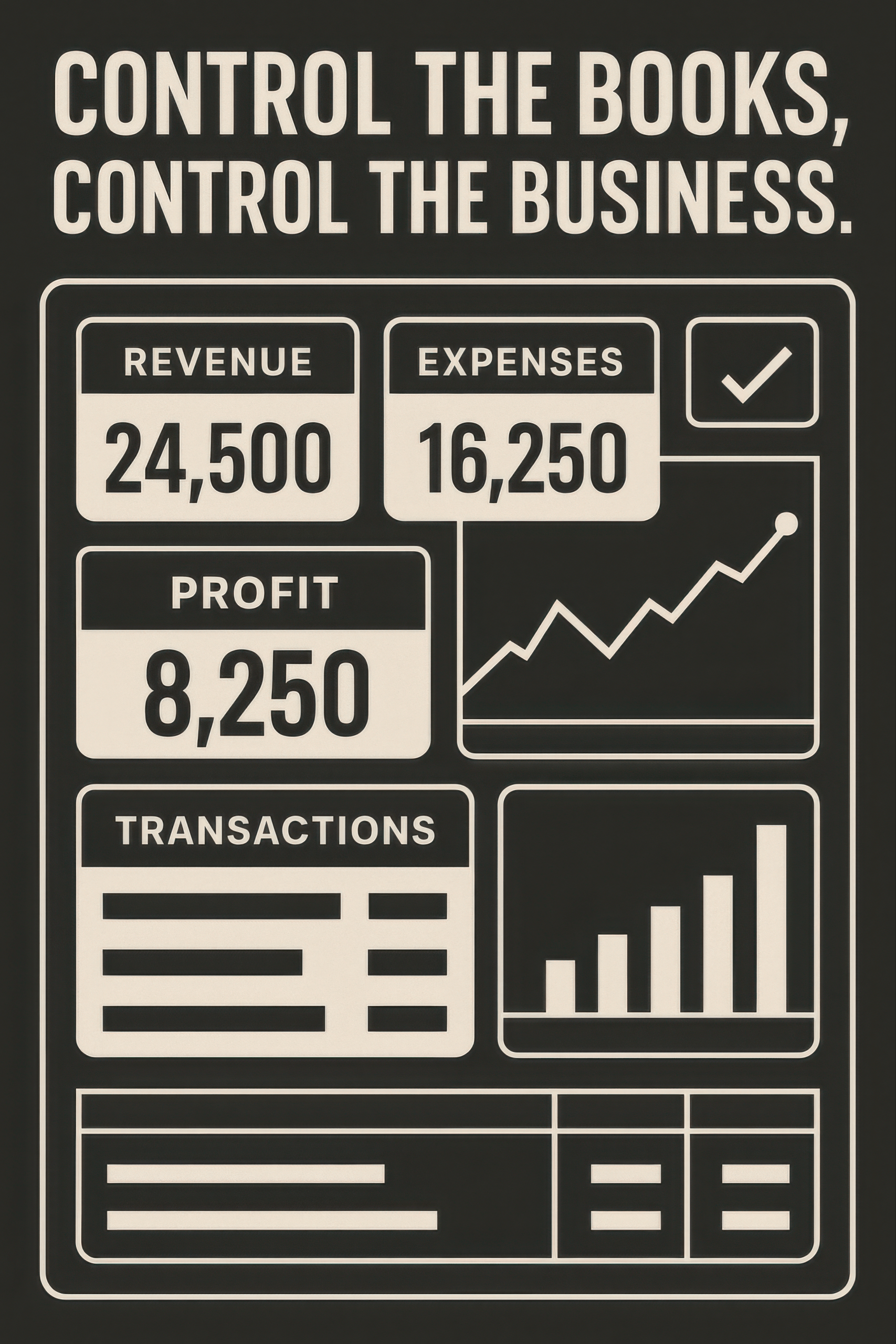
A business finance dashboard provides a visual, real-time overview of your company’s financial health. Right from the start, this tool displays key metrics such as revenue, expenses, profit, and transactions. Moreover, its clear layout ensures fast insights. Each financial figure is displayed in bold, high-contrast sections for immediate readability. Furthermore, graphical representations—like trend lines and bar charts—help visualize performance over time. In addition, this type of dashboard allows business owners to make smarter, quicker decisions. By showing profit (revenue minus expenses), the business finance dashboard reveals how efficiently a company operates. Its modern layout and data organization streamline analysis. Moreover, it fits perfectly in digital reporting systems and finance presentations. The dashboard emphasizes usability—ideal for CEOs, accountants, and small business owners. Each section focuses on a key financial indicator. Therefore, users stay focused on what matters. Additionally, it enhances transparency in budgeting, forecasting, and cost management. This visual dashboard is perfect for startups, ecommerce stores, and service providers who need financial clarity. Ultimately, a business finance dashboard drives performance monitoring and enables agile financial control.
Key Features of Business Finance Dashboard
- Revenue and Expense Tracking: Bold figures show current revenue and expenses, using the business finance dashboard format.
- Profit Calculation Display: Profit is clearly shown as a difference, reinforcing financial awareness through this dashboard.
- Interactive Graphs and Charts: The dashboard includes trend lines and bars to visualize financial growth.
What’s Included with Business Finance Dashboard
- Revenue, expense, and profit blocks with bold data—central to the business finance dashboard layout.
- Line and bar graphs showing transaction flow and growth metrics.
- Transaction table that visually summarizes financial entries.
How to Use Business Finance Dashboard
- Input your financial data regularly—revenue, expenses, and transactions.
- Review profit trends and graphs to guide strategic decisions.
Ideal Uses and Placement
- Use a business finance dashboard in internal financial meetings or executive reports.
- Embed it in business planning documents or startup pitch decks.
- Display on a large screen in finance departments for daily tracking.
- Utilize in budgeting tools or accounting software interfaces.
Explore More Resources
- Find similar products: Products Page
- Gain further insights: Our Blog
- Enhance your understanding: AI & QA Resources
- Learn from experts: Investopedia Financial Education
Why Choose Business Finance Dashboard?
The business finance dashboard gives instant financial clarity. It improves decision-making and reduces uncertainty. Moreover, it keeps key data front and center. With a clean design and easy visuals, this dashboard helps you manage your business more effectively. It’s perfect for growing companies seeking financial control.
Order Your Business Finance Dashboard Today!
Take charge of your financial insights with a business finance dashboard—track, analyze, and grow now!
$7.89
- ✅ Instant Download Available
- 🖼️ Ultra High-Resolution 4K PNG + JPG (4096×6144, 300 DPI)
- 🖨️ Prints Beautifully up to 13.6×20.5 inches
- ♾️ Unlimited Downloads
- 🔁 Commercial Use & Resale Allowed
- 💾 Digital Product – No Physical Item Shipped
- 📥 Instant Access via Download Link Post-Purchase
- 🛒 Want a Physical Print?
You can upload your downloaded artwork to services like Printful, Zazzle, or your local print shop to create stunning physical prints.
All 4K images include the label "4K" in their title.
If your selected image does not include "4K", please contact us for your complimentary upgrade.