Sql Overlay Visualization
SQL VIEW Command Overview
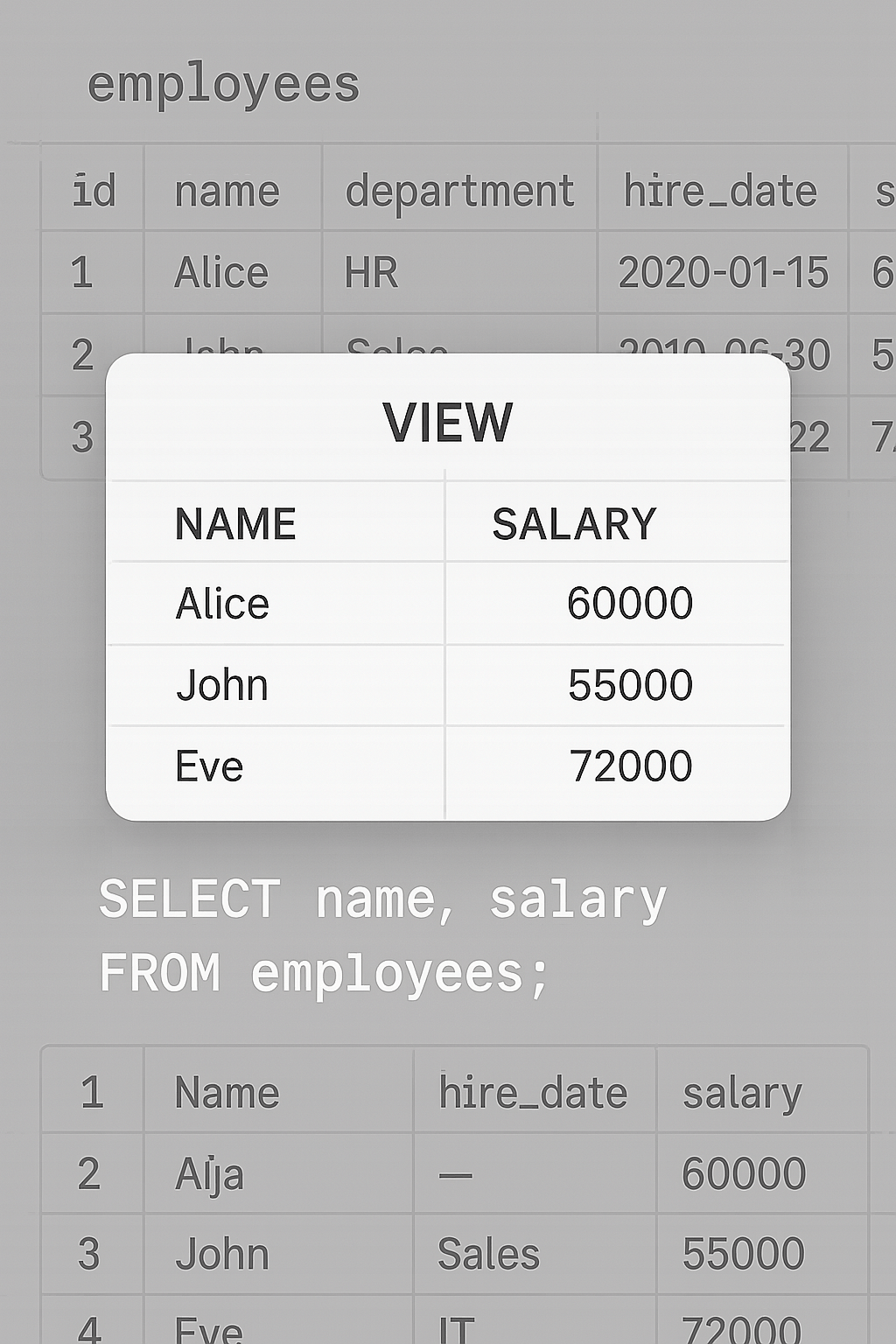
The SQL VIEW command allows users to create a virtual table based on a SQL query. In the image, the VIEW displays selected columns—name and salary—from the “employees” table. This demonstrates how SQL VIEW provides a simplified perspective of complex data. Moreover, views do not store data physically but reflect real-time changes from underlying tables. SQL VIEW enhances security by hiding sensitive columns, such as hire_date or department. Furthermore, it improves readability by presenting only necessary information. Using SQL VIEW helps streamline queries, improve performance, and maintain consistency across applications. In addition, views support modular database design, making maintenance easier. The SELECT query shown—`SELECT name, salary FROM employees;`—underlies the view’s logic. Therefore, SQL VIEW is a powerful feature for developers, analysts, and administrators managing large or sensitive datasets. It also enables more controlled access to data for different user roles.
Key Features of SQL VIEW Command
- Virtual Table: SQL VIEW acts like a table but stores no data physically, showing real-time query results.
- Data Simplification: SQL VIEW displays only selected fields (e.g., name, salary), making queries cleaner and more focused.
- Security Control: SQL VIEW hides columns like hire_date or department, enhancing access control and confidentiality.
What’s Included with SQL VIEW Command
- Sample SQL VIEW table displaying employee names and salaries from a base “employees” table.
How to Use SQL VIEW Command
- Write a SELECT query with desired columns, such as `SELECT name, salary FROM employees;`.
- Use `CREATE VIEW view_name AS` before the query to generate the virtual table view.
Ideal Uses and Placement
- Use SQL VIEW in dashboards to present only relevant information to users.
- Apply SQL VIEW for auditing, reporting, and secure access to sensitive employee data.
SQL VIEW Command Specifications
- Shows a virtual table created from `SELECT name, salary FROM employees`, excluding non-essential columns like hire_date.
SQL VIEW example showing name and salary from employees table using SELECT”
Explore More Resources
- Find similar products: Products Page
- Gain further insights: Our Blog
- Enhance your understanding: AI & QA Resources
- Learn from experts: SQL Tutorial on VIEW
Why Choose SQL VIEW Command?
SQL VIEW simplifies data access while keeping the source table intact. It boosts query clarity and improves security. Moreover, it reduces redundancy in reporting. SQL VIEW enables better modularity and user-specific data representation, making it ideal for modern data solutions.
Order Your SQL VIEW Command Guide Today!
Master virtual tables with this clear guide to SQL VIEW—perfect for data professionals and learners alike!
$3.99
- ✅ Instant Download Available
- 🖼️ Ultra High-Resolution 4K PNG + JPG (4096×6144, 300 DPI)
- 🖨️ Prints Beautifully up to 13.6×20.5 inches
- ♾️ Unlimited Downloads
- 🔁 Commercial Use & Resale Allowed
- 💾 Digital Product – No Physical Item Shipped
- 📥 Instant Access via Download Link Post-Purchase
- 🛒 Want a Physical Print?
You can upload your downloaded artwork to services like Printful, Zazzle, or your local print shop to create stunning physical prints.
All 4K images include the label "4K" in their title.
If your selected image does not include "4K", please contact us for your complimentary upgrade.