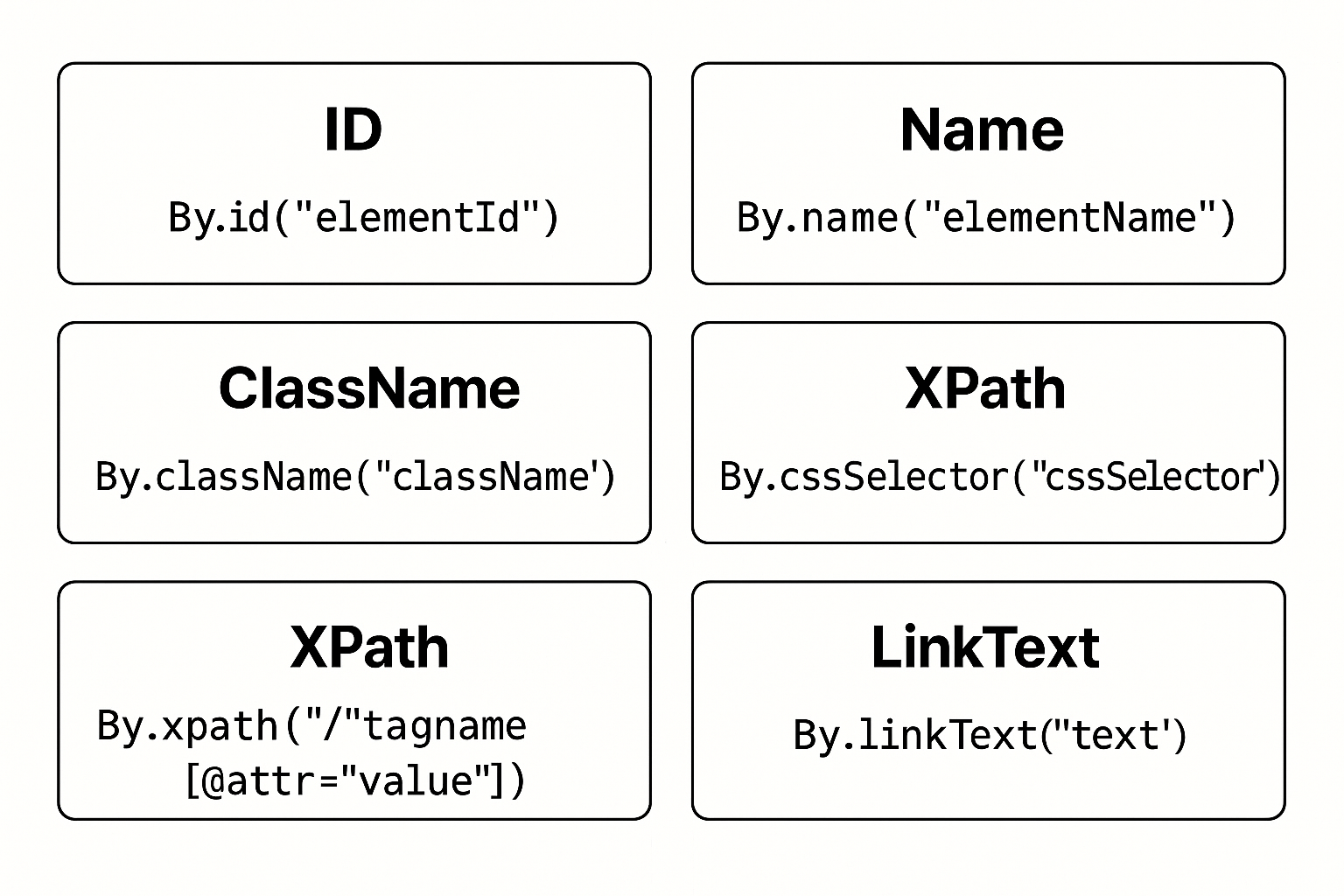
Types Of Selenium Locators
Locator Strategies in Selenium Overview
Locator strategies in Selenium allow testers to find web elements for interaction during automated testing. These strategies ensure accurate element identification within the Document Object Model (DOM). Each method—ID, Name, ClassName, XPath, CSS Selector, and LinkText—offers unique advantages based on structure and attributes. Moreover, choosing the right locator improves test speed and reliability. In addition, Selenium provides flexibility by allowing both simple and complex locators. For example, ID is quick and direct, while XPath and CSS Selectors handle dynamic or nested elements. Furthermore, using proper locators leads to better maintainability in test automation scripts. Therefore, understanding all locator types is essential for effective Selenium automation. These strategies form the core of any test interaction, from filling forms to clicking buttons.
Key Features of Locator Strategies in Selenium
- ID: Uses
By.id("elementId")for fast, unique element identification. - Name: Uses
By.name("elementName"), helpful when ID is unavailable. - ClassName: Applies
By.className("className")for elements sharing the same class. - XPath: Offers flexible navigation through elements using
xpath("//tagname[@attr='value']"). - CSS Selector: Uses
By.cssSelector("cssSelector")for precise styling-based identification. - LinkText: Targets anchor tags with
By.linkText("text")for link interactions.
What’s Included with Locator Strategies in Selenium
- A visual reference for all common Selenium locator types.
- Code snippets using the
Byclass for each strategy. - Side-by-side layout to compare XPath, CSS, ID, and others clearly.
How to Use Locator Strategies in Selenium
- Choose the simplest unique locator (ID is preferred if available).
- Write your test script using the
Byclass and the selected strategy. - Use XPath or CSS Selector for complex or nested element structures.
- Run and validate your Selenium test to confirm element interaction.
Ideal Uses and Placement
- Use this visual in Selenium training sessions or QA bootcamps.
- Include in test automation documentation or development wikis.
- Place in presentations for QA onboarding or Selenium framework demos.
- Use as a quick reference for writing robust locators in test scripts.
Explore More Resources
- Find similar products: Products Page
- Gain further insights: Our Blog
- Enhance your understanding: AI & QA Resources
- Learn from experts: Selenium Official Locator Docs
Why Choose Locator Strategies in Selenium?
These locator strategies in Selenium are essential for precise, maintainable automation. Moreover, they offer flexibility across all web technologies. For efficient UI interaction and test coverage, mastering these locators is a must for QA engineers.
Master Locator Strategies in Selenium Today!
Boost your test automation accuracy—start using effective locator strategies in Selenium now!
$3.99
- ✅ Instant Download Available
- 🖼️ Ultra High-Resolution 4K PNG + JPG (4096×6144, 300 DPI)
- 🖨️ Prints Beautifully up to 13.6×20.5 inches
- ♾️ Unlimited Downloads
- 🔁 Commercial Use & Resale Allowed
- 💾 Digital Product – No Physical Item Shipped
- 📥 Instant Access via Download Link Post-Purchase
- 🛒 Want a Physical Print?
You can upload your downloaded artwork to services like Printful, Zazzle, or your local print shop to create stunning physical prints.
All 4K images include the label "4K" in their title.
If your selected image does not include "4K", please contact us for your complimentary upgrade.